TL;DR:
- Combining conservative device settings with thermal management and a properly sized LiFePO4 power bank can extend outdoor battery life by up to 60 percent. Proper habits such as insulating banks, limiting screen brightness, and using airplane mode significantly conserve power during trips in cold environments. Toddra's LiFePO4 stations offer reliable, long-lasting power suited for multi-night outdoor adventures and extreme weather conditions.
The single highest-leverage move to extend portable battery life outdoors is combining conservative device settings with thermal management and a correctly sized LiFePO4 or high-efficiency power bank. Do those three things and you'll recover 30–60% more usable runtime on any trip.
Quick actions you can take right now:
- Switch every non-essential device to airplane mode before you leave the trailhead
- Top off all devices and your power bank to 80–100% the night before departure
- Wrap your power bank in a fleece or insulation sleeve before sleeping in cold temps
- Charge safety devices (satellite communicator, headlamp) before phones and cameras
- Check your bank's LED indicator each morning to catch low charge before it becomes a problem
Table of Contents
- What should you do today to stretch battery life on your trip?
- Why do batteries drain faster outdoors?
- How to reduce device and power-bank drain in the field
- How to choose the right portable power solution for your trip
- Field tactics for charging and storage below freezing
- How to use solar panels and MPPT charging effectively on a trip
- How to store and maintain portable batteries between trips
- Common safety checks and troubleshooting for field use
- Why Toddra LiFePO4 power stations are built for outdoor reliability
- What protective cases work best for extreme outdoor conditions
- Key Takeaways
- The habits that actually move the needle
- Ready-to-buy power for your next trip
- Useful sources for further reading
What should you do today to stretch battery life on your trip?
Pack and setup:
- Set phones and GPS units to airplane mode; re-enable only when needed
- Reduce screen brightness to 30% or lower
- Disable background app refresh and push notifications
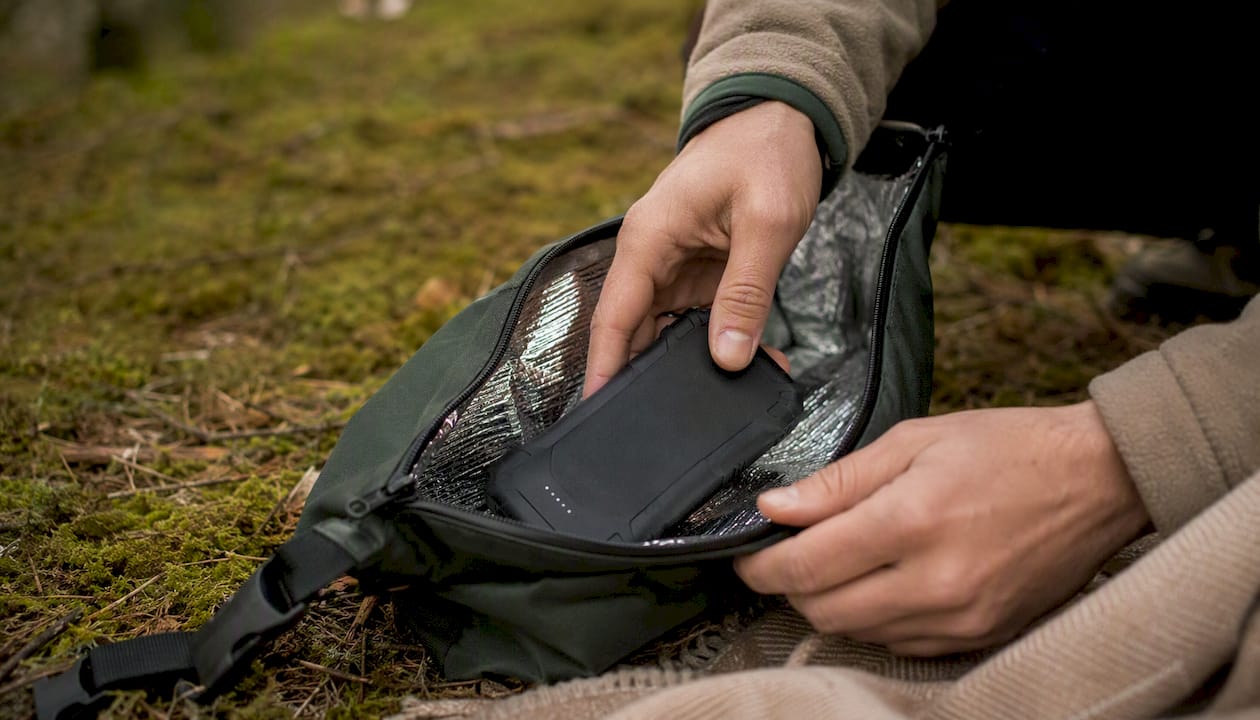
- Insulate your power bank inside a dry bag or fleece pouch before placing it in your pack
Nightly routine:
- Charge in this priority order: satellite communicator → headlamp → GPS → phone → camera
- Disconnect devices once full; leaving them plugged in after 100% generates heat and stresses cells
- Tuck your power bank inside your sleeping bag or between layers overnight
Pro Tip: Slip your power bank into a wool sock before bed. Wool retains warmth without trapping moisture, and a bank that stays above 50°F overnight can deliver noticeably more usable capacity the next morning than one left exposed at 25°F.
Why do batteries drain faster outdoors?
Cold is the biggest culprit. Lithium cells slow their electrochemical reactions as temperature drops, and charging stops entirely below 32°F (0°C). Even above freezing, a bank that sat at 28°F overnight can lose 20–40% of its rated capacity before it warms up.
Device load is the second major factor. GPS radios, cellular modems, and bright screens are the primary drains. A phone navigating with GPS and cellular active can discharge in under five hours; the same phone in airplane mode at 30% brightness can last 15+ hours.
Conversion losses quietly eat capacity too. When a power bank converts its internal voltage to USB output, you lose roughly 10–25% of rated mAh to heat and inefficiency. Altitude and humidity compound this: thinner air at elevation reduces cooling efficiency, and moisture accelerates corrosion on charging contacts.
Controllable factors at a glance:
- Screen brightness and always-on display settings
- Active radios (cellular, Wi-Fi, Bluetooth, GPS)
- Ambient temperature and how you store the bank
- Cable quality and connector cleanliness
- Charging behavior (full cycles vs. partial top-offs)
How to reduce device and power-bank drain in the field
- Enable airplane mode first. Disabling radios is the single highest-ROI behavioral change — it can extend a smartphone from about five hours to 15+ hours on trail.
- Drop screen brightness to 30%. Combine with dark mode on OLED screens for an additional meaningful reduction.
- Disable background refresh. On iOS, go to Settings → General → Background App Refresh and turn it off entirely. On Android, restrict battery usage per app.
- Use the 40–80% charging window. Keeping devices between roughly 40% and 80% state of charge reduces cell stress and preserves long-term capacity. Avoid full deep cycles in the field.
- Unplug when full. Trickle charging at 100% generates heat, which degrades cells faster than almost any other habit.
- Use short, high-quality USB-C cables. Longer or damaged cables increase resistance and waste charge. USB-C Power Delivery charges most modern devices faster and more efficiently than older USB-A connections.
- Charge sequentially, not simultaneously. Running four devices off one bank at once splits available current and extends total charge time, generating more heat in the process.
Pro Tip: Keep a short USB-C cable in an outer pocket so you can swap a depleted device onto the bank during a rest break without digging through your pack. Fast field swaps mean less time the bank sits idle and warm.
Cable hygiene checklist:
- Inspect connectors for lint or grit before each trip
- Carry one backup cable sealed in a zip-lock bag
- Avoid coiling cables tightly around metal gear
How to choose the right portable power solution for your trip
Start with the math. Convert your device's mAh rating to Wh using: Wh = (mAh × V) ÷ 1,000. A phone with a 4,000 mAh battery at 3.7V holds about 14.8Wh. Factor in 20% conversion loss and you need roughly 18.5Wh from your bank per full charge.
| Trip Type | Recommended Capacity | Notes |
|---|---|---|
| Day hike (1 device) | 10,000 mAh | Covers 1–2 phone charges |
| Weekend (2–3 devices) | 20,000 mAh or 240–288Wh station | Sweet spot for 2–3 night trips |
| Multi-night basecamp | 288Wh+ station + solar panel | Laptops need 60W+ USB-C PD ports |
Chemistry matters. LiFePO4 (lithium iron phosphate) cells offer significantly longer cycle life and better thermal resilience than standard Li-ion. They handle temperature swings more gracefully and are less prone to thermal runaway, making them the preferred chemistry for outdoor use. Learn more about LiFePO4 advantages for outdoor use.
Features to prioritize when buying:
- USB-C PD output (45W minimum; 60W+ for laptops)
- MPPT solar input for efficient panel charging
- Smart BMS with overcharge and temperature protection
- IP54 or better weather resistance rating
- Weight under 2 lbs for backpacking; stations acceptable for car camping
Field tactics for charging and storage below freezing
- Rotate two smaller banks. Keeping one bank warm against your torso while the other is in use recovers usable capacity that a single large bank left in a cold pack cannot.
Cold-weather charging rule: Never attempt to charge a power bank or portable station that has been exposed to sub-freezing temperatures without warming it first. Charging a cold lithium cell can cause lithium plating inside the cell, permanently reducing capacity and creating a safety risk.
Pro Tip: Wrap your bank in a closed-cell foam pad cut to size. Foam adds almost no weight, blocks wind chill, and keeps the bank 10–15°F warmer than an uninsulated pack pocket.
How to use solar panels and MPPT charging effectively on a trip
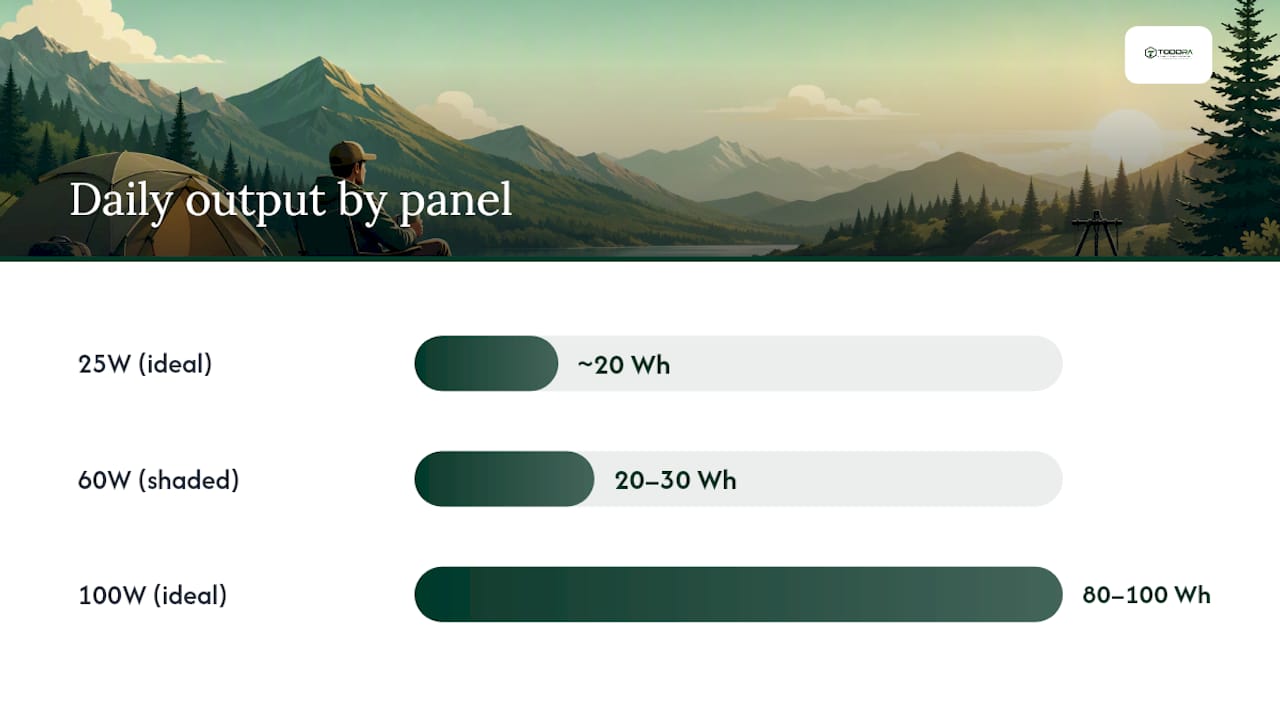
Real-world solar output is lower than panel ratings suggest. A 100W panel in good direct sun delivers roughly 80–100Wh over a 4–5 hour peak window. Cloud cover, tree shade, and a non-optimal panel angle can cut that by 50% or more.
| Panel Size | Ideal Daily Output | Realistic Shaded Output |
|---|---|---|
| 25W | ~20Wh | — |
| 60W | — | ~20–30Wh |
| 100W | ~80–100Wh | — |
For a 3-night trip with two phones, a GPS, and a headlamp, a 60W panel paired with a 240Wh station covers most loads with margin. For solar-powered camping setups with real sizing examples, Toddra's blog walks through panel-to-station pairings in detail.
Solar best practices:
- Use a station or controller with MPPT (not PWM) for 20–30% better harvest efficiency
- Angle panels toward the sun every 2 hours during peak charging
- Charge the station first; let the station charge devices to avoid direct panel-to-device instability
- Always carry a pre-charged backup bank — solar alone is unreliable under tree cover or in variable weather
How to store and maintain portable batteries between trips
Store your power bank or station at 40–60% charge, not full and not empty. A fully charged lithium cell held at 100% for weeks degrades faster than one stored at partial charge. If you won't use the unit for more than a month, top it to 50% and store it somewhere cool and dry, ideally between 50°F and 77°F.
- Check charge level monthly and top to 50% if it has dropped below 30%
- Keep units dry; moisture on contacts accelerates corrosion
- Use a protective case or padded sleeve during transport to prevent impact damage
- Apply firmware or BMS updates when the manufacturer releases them
- Avoid repeated full deep cycles; partial cycles preserve cell health over time
Pro Tip: LiFePO4 cells tolerate storage better than standard Li-ion, but the same partial-charge rule applies. For detailed seasonal care routines, Toddra's guide on storing a portable power station safely covers temperature limits and long-term maintenance steps.
Common safety checks and troubleshooting for field use
Watch for these red flags immediately:
- Swelling or bulging on any side of the bank or station
- Unusual heat during charging (warm is normal; hot is not)
- Burning or chemical smell
- Failure to charge after warming the unit
If you see any of these, stop charging, disconnect all cables, move the unit away from flammable materials, and do not use it again until it has been inspected.
Safe charging checklist: Always use the cable and adapter rated for your device. Keep the unit ventilated while charging — never charge inside a closed sleeping bag or tent pocket. If a BMS alert light flashes red or the unit shuts off mid-charge, check the cable first, then test with a known-good cable before assuming the bank is faulty.
Quick troubleshooting flow:
- Device not charging? Test with a different cable before blaming the bank
- Bank not charging from solar? Check panel angle and MPPT connection
- Lower output than expected in cold? Warm the bank for 20 minutes and retest
- LED shows full but device drains fast? The bank may need recalibration — discharge fully once, then charge to 100%
Why Toddra LiFePO4 power stations are built for outdoor reliability
Toddra's portable power stations use LiFePO4 chemistry, which delivers longer cycle life and better thermal resilience than standard Li-ion cells. The smart BMS monitors temperature, voltage, and current in real time, cutting off charge or discharge automatically when conditions fall outside safe limits.
Core advantages for campers:
- LiFePO4 cells handle temperature swings more gracefully than Li-ion
- MPPT solar input maximizes harvest from panels in variable light
- Fast charging via USB-C PD (60W+) handles laptops and multi-device loads
- Expandable capacity options scale from a weekend power bank to a multi-night basecamp station
- US-based customer support and secure checkout at Toddra
For a weekend trip, a compact 256Wh LiFePO4 station covers two phones, a GPS, and a headlamp across three nights with room to spare. For a basecamp setup, pairing an expandable station with a 60–100W solar panel creates a self-sustaining system that handles variable weather better than any single large bank.
What protective cases work best for extreme outdoor conditions
A good enclosure does three things: absorbs impact, blocks moisture, and insulates against temperature swings. For power banks, a neoprene or closed-cell foam sleeve handles all three at minimal weight. Pelican-style hard cases (such as the Pelican 1510 or 1060 series) offer IP67-rated protection for stations and larger banks when car camping or traveling to the trailhead.
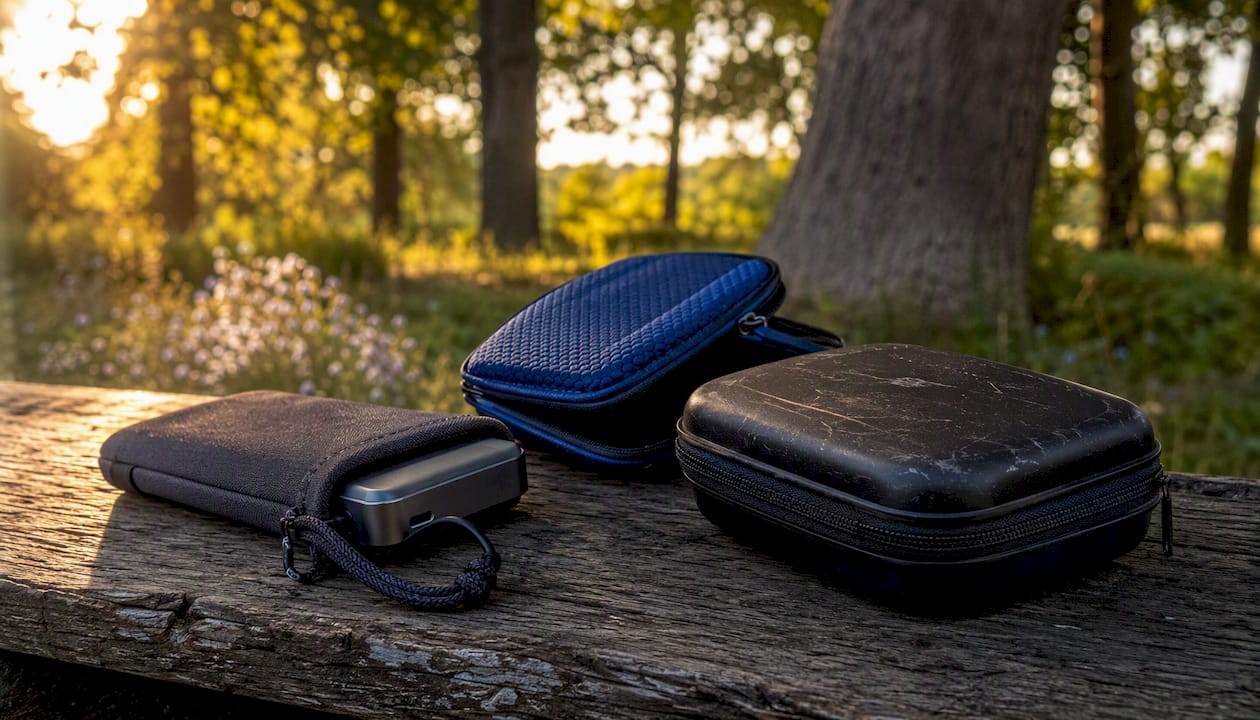
For backpacking, a silicone-wrapped power bank inside a waterproof dry bag is a practical and lightweight combination. Brands like Sea to Summit and SealLine make roll-top dry bags sized for electronics that weigh under two ounces. If you're running a portable station at basecamp, a padded nylon carry case with a water-resistant coating keeps contacts dry during rain without adding significant bulk.
One often-overlooked detail: keep the charging port covered with a rubber cap or gaffer tape when not in use. Dust and grit in a USB-C port cause more field failures than physical drops.
Key Takeaways
Combining conservative device settings, thermal management, and a correctly sized LiFePO4 power bank or station is the most reliable system for maximizing outdoor battery runtime across any trip length.
| Point | Details |
|---|---|
| Conserve first | Airplane mode and 30% screen brightness can extend phone runtime from about five hours to 15+ hours. |
| Store warm | Keep your power bank above 50°F overnight; cold cells lose 20–40% of usable capacity. |
| Size correctly | A 240–288Wh station covers most 2–3 night multi-device trips; 10,000 mAh suits a weekend solo hike. |
| Rotate and back up | Two smaller banks outperform one large bank in cold; always carry a pre-charged spare when relying on solar. |
| Toddra LiFePO4 stations | LiFePO4 chemistry, smart BMS, and MPPT solar input make Toddra stations a dependable choice for cold-weather and multi-night trips. |
The habits that actually move the needle
Most campers focus on buying more capacity when the real gains come from losing less. Airplane mode alone recovers more runtime than upgrading from a 10,000 mAh bank to a 20,000 mAh bank. Thermal management — keeping your bank warm overnight — recovers capacity you already paid for. Nightly top-offs prevent the scramble on day three when everything is at 15%.
My prioritized order: first, lock in airplane mode and low brightness before you leave the car. Second, insulate and rotate banks in cold weather. Third, build the nightly charging routine around priority order (safety devices first). Fourth, add solar as a supplement, not a primary source. If your trip runs longer than three nights or you're carrying a laptop, that's when a portable power station earns its weight.
The trade-off worth knowing: a LiFePO4 station is heavier than a power bank, but it handles cold, handles solar input, and handles multi-device loads in ways a bank simply cannot. For car camping and basecamp trips, that weight is a non-issue. For ultralight backpacking, a single high-quality 20,000 mAh bank with USB-C PD and the behavioral habits above will carry you further than most people expect.
Ready-to-buy power for your next trip
Cold-weather resilience and multi-night runtime are exactly what Toddra's LiFePO4 portable power stations are built for. Unlike standard Li-ion banks that lose significant capacity when temperatures drop, Toddra's LiFePO4 units maintain stable output, accept solar input via MPPT, and protect your devices through a smart BMS that monitors every charge cycle.
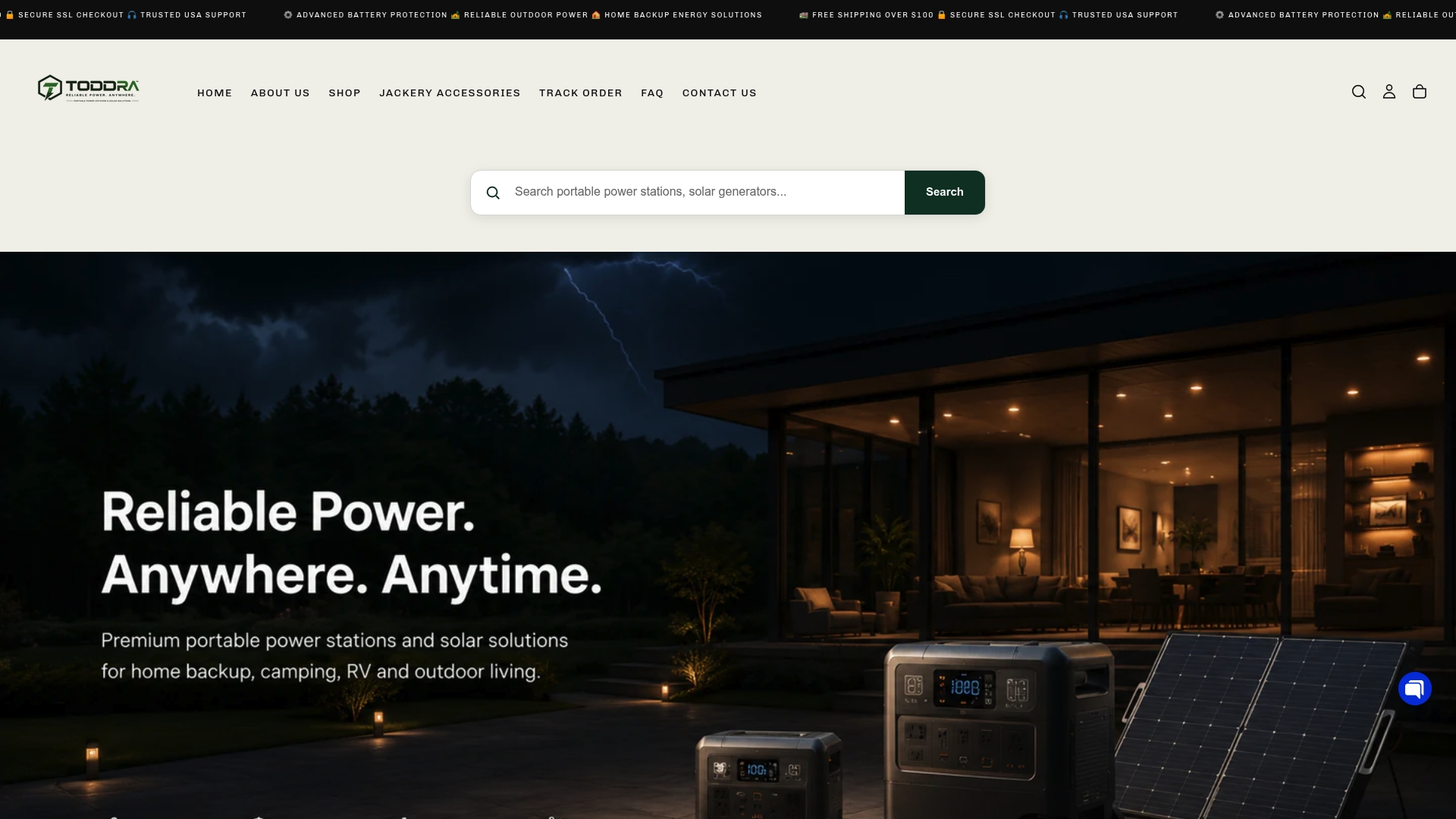
For campers who want serious expandable capacity, the Jackery Battery Pack 5000 Plus Expansion Battery (5,040Wh) available at Toddra handles extended basecamp trips with ease. USB-C PD output, solar compatibility, and US-based customer support mean you get reliable power and real help if you need it. Browse the full range at Toddra and find the station sized for your next adventure.
Useful sources for further reading
On cold-weather charging limits and device behavior: Google's Nest support documentation confirms that lithium batteries will not charge below 32°F (0°C) and charge slowly near freezing — a useful real-world reference for understanding why thermal management matters in the field.
- Save battery for Nest cameras and doorbells - Google Home and Nest Help
- Outdoor battery strategy guide — Treeline Review
- Off-grid power for hikers — Solar & charging (GaitLab)
- Compact power banks for multi-day trips: Battery rotation guide — Descent
- Charging electronics while camping: 2026 guide — Backup Power Hub
- How to use power banks effectively — HP