
USB-C Power Delivery (USB PD) is the protocol that negotiates safe, high-wattage DC power over a USB Type-C connection. The USB Implementers Forum (USB-IF) defines the current PD 3.1 specification, which extends delivery up to 240 W through Extended Power Range (EPR) fixed voltages of 28 V, 36 V, and 48 V at up to 5 A. That ceiling matters because it means a single USB-C cable can now power not just phones and tablets but high-performance laptops, monitors, and workstation peripherals that previously required proprietary barrel connectors.
A few headline facts worth knowing before diving in:
- PD 3.1 EPR maximum: 240 W (48 V × 5 A) over a full-featured, electronically marked USB-C cable
- Standard Power Range (SPR) ceiling: 100 W (20 V × 5 A), the limit for PD 2.0 and PD 3.0
- Default USB-C power (no PD): 5 V at up to 0.9 A, or 5 V at 1.5 A / 3 A with Type-C current advertisement — no negotiation required
- Governing body: USB Implementers Forum (USB-IF), which publishes the full PD specification and compliance test suite
The practical impact is real: USB PD enables universal chargers, PD-capable portable power stations, and a single cable standard that scales from charging a smartwatch to running a gaming laptop.
Key Takeaways
USB-C Power Delivery is a negotiation protocol, not a connector feature, and understanding that distinction is what separates a well-matched charging setup from one that silently underperforms.
| Point | Details |
|---|---|
| PD 3.1 EPR reaches 240 W | Fixed voltages of 28 V, 36 V, and 48 V at 5 A enable EPR; both charger and cable must support it. |
| E-marked cables are required above 60 W | Unmarked cables cap at 3 A / 60 W; a 5 A e-marked cable is mandatory for anything above that threshold. |
| PPS reduces heat during fast charging | Fine-grained 20 mV / 50 mA voltage steps let the device track battery voltage closely, cutting resistive losses. |
| Higher-wattage chargers are safe | The sink requests only what it needs; a 240 W source connected to a 25 W phone delivers exactly 25 W. |
| Toddra battery banks support PD workflows | Toddra's carefully selected power stations and battery banks list sustained PD output and BMS specs for confident matching. |
Table of Contents
- How USB-C power delivery works as a protocol, not just a connector
- The negotiation sequence: how a PD contract gets established
- How PD power levels evolved from 10 W to 240 W
- Why your cable choice can silently limit delivered power
- What Programmable Power Supply (PPS) actually does for charging
- How USB PD relates to Thunderbolt and USB4
- Real-world power tiers: matching PD wattage to your devices
- What to check before buying a PD charger, cable, or power bank
- Safety, failure modes, and the myths worth correcting
- Using PD with portable power stations: what to verify in practice
- What PD 3.1 really means for the device ecosystem going forward
- Toddra's PD-capable portable power solutions
- Sources
How USB-C power delivery works as a protocol, not just a connector
The most common misunderstanding about USB PD is treating it as a feature of the USB-C connector itself. The connector is just the physical interface. USB PD is a separate protocol layered on top of USB Type-C, and it is what allows a source (a charger, power bank, or power station) and a sink (a phone, laptop, or monitor) to agree on exactly how much voltage and current will flow.
Without PD, a USB-C port defaults to 5 V at a fixed current level. That is fine for a phone in a pinch, but it cannot power a laptop under load or charge a tablet quickly. PD changes that by introducing a negotiation handshake before any high-power VBUS draw occurs.
The key roles in any PD session are:
- Source: the device supplying power (charger, power station, powered hub)
- Sink: the device consuming power (phone, laptop, monitor)
- Dual-Role Power (DRP): a device that can act as either source or sink depending on what is connected (common in laptops and docks)
- Dual-Role Data (DRD): a device that can switch between USB host and device roles, often paired with DRP
PD also defines Fixed Supply PDOs, Variable PDOs, Programmable Power Supply (PPS) APDOs, and Augmented PDOs as the structured data objects that describe what a source can offer or what a sink wants to request. Each type serves a different charging scenario, from simple fixed-voltage fast charging to the fine-grained voltage stepping that PPS enables.
The negotiation sequence: how a PD contract gets established
PD negotiation happens on the CC (Configuration Channel) pins of the USB-C connector, not on the VBUS power rail itself. This is a critical architectural choice: power only changes after both sides have agreed to a contract in the digital domain.
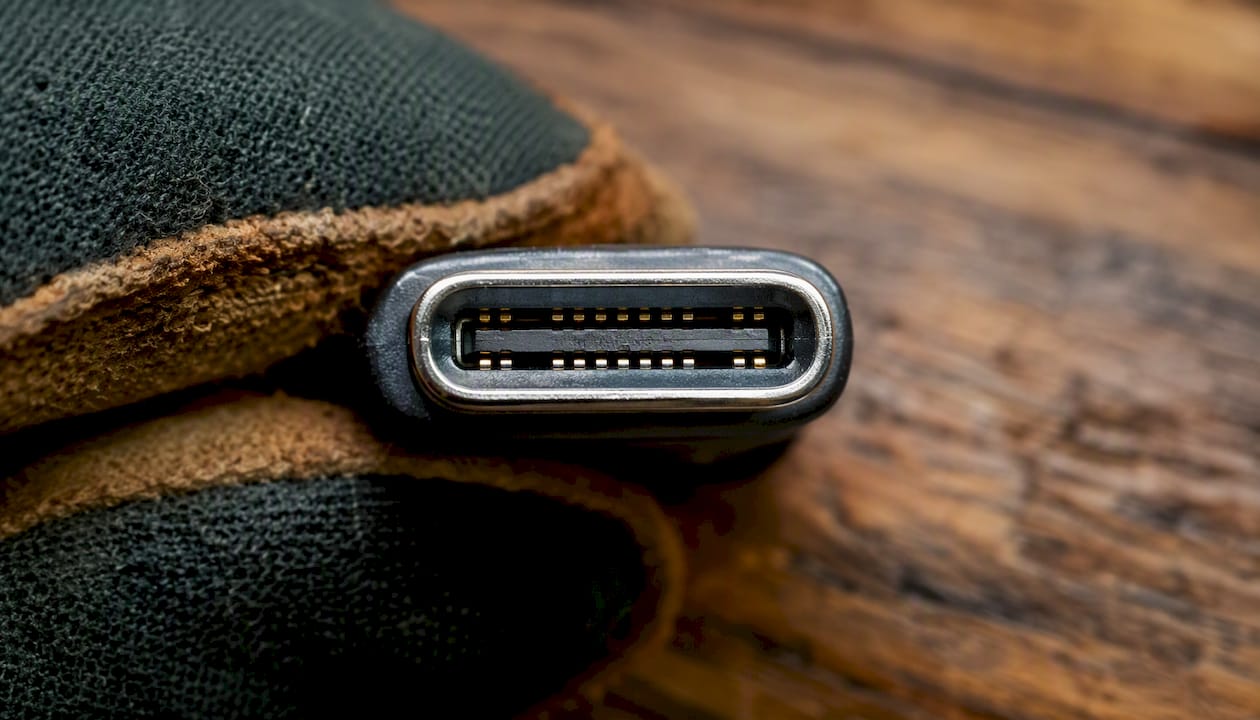
The CC pins serve two purposes simultaneously. First, they carry resistor-based signals (Rp on the source side, Rd on the sink side, Ra on the cable's VCONN end) that establish orientation and advertise basic current capability before any PD messaging begins. Second, once a connection is detected, the CC line carries Biphase Mark Coded (BMC) PD messages at 300 kbps, as documented in Texas Instruments' engineering guide.
The negotiation sequence follows this order:
- Source_Capabilities message: the source broadcasts all the power levels it can supply as a list of Power Data Objects (PDOs)
- Request message (with RDO): the sink selects one PDO and sends a Request Data Object specifying the operating and maximum current it wants
- Accept message: the source confirms it can fulfill the request
- PS_Ready message: the source signals that VBUS has settled at the agreed voltage and current — only now does high-power flow begin
Every message exchange is acknowledged with a GoodCRC response. If a GoodCRC is not received, the sender retries. A failed negotiation causes the system to fall back to the default 5 V USB-C power level, which is why a mismatched or damaged cable can silently reduce charging speed without any error message.
| Message Type | Direction | Purpose |
|---|---|---|
| Source_Capabilities | Source → Sink | Advertises available PDOs (voltage/current options) |
| Request (RDO) | Sink → Source | Selects one PDO and specifies operating/max current |
| Accept | Source → Sink | Confirms the requested PDO is achievable |
| PS_Ready | Source → Sink | Signals VBUS is stable at agreed level; high power begins |
| GoodCRC | Both directions | Acknowledges every PD message; missing = retry |
| Soft_Reset | Either | Resets PD state machine without disconnecting VBUS |
SOP message types extend this further. Standard PD messages use SOP (Start of Packet) to communicate between the source and sink directly. SOP' and SOP" messages reach the cable's electronically marked chip (e-marker) at each end, allowing the system to query the cable's maximum current, voltage rating, and identity before committing to a high-power contract. This is how the system discovers whether a cable is rated for 3 A or 5 A, and whether it supports EPR.
Pro Tip: When debugging a PD negotiation failure, a dedicated PD analyzer (such as the Total Phase Beagle USB 480 Power or similar CC-line sniffers) lets you capture the raw BMC traffic and see exactly which PDO the sink requested and whether the source accepted it. Logging CC traffic is far faster than guessing at cable or charger incompatibility.
How PD power levels evolved from 10 W to 240 W
The jump from USB 2.0's 2.5 W to PD 3.1's 240 W did not happen overnight. Each spec revision expanded the voltage and current envelope in response to real device power demands.
| Specification | Max Voltage | Max Current | Max Power | Key Addition |
|---|---|---|---|---|
| USB 2.0 (legacy) | 5 V | 0.9 A | 2.5 W | Baseline bus power |
| USB 3.x (legacy) | 5 V | 0.9 A | 4.5 W | Slightly higher bus power |
| USB PD 2.0 | 5/9/15/20 V | up to 5 A | 100 W | First negotiated high-power spec |
| USB PD 2.0 / 3.0 | 5/9/15/20 V | up to 5 A | 100 W | Standardized SPR voltages, PPS added in 3.0 |
| USB PD 3.1 (EPR) | 28/36/48 V (EPR) + legacy SPR | up to 5 A | 240 W | Extended Power Range, new fixed voltages |
PD 2.0 and PD 3.0 share the same Standard Power Range (SPR) ceiling of 100 W. PD 3.0 added Programmable Power Supply (PPS) support and refined the specification for multi-port chargers, but the top wattage stayed at 100 W. The USB-IF's PD 3.1 technical presentation documents the full transition: PD 3.1 introduced EPR with three new fixed voltages (28 V, 36 V, 48 V) and updated testing requirements for both chargers and cables.
240 W over a single USB-C cable. PD 3.1 EPR reaches this ceiling at 48 V × 5 A, requiring both an EPR-capable charger and a 5 A electronically marked cable. This wattage covers high-performance gaming laptops (which commonly draw 100–180 W under load), large monitors with built-in power delivery, and industrial peripherals that previously required dedicated power supplies.
For most phones, tablets, and ultrabooks, SPR at 45–100 W is more than sufficient. EPR becomes relevant when you are powering a workstation-class laptop, a large display that also charges a connected device, or a multi-device dock that needs to distribute power across several high-draw ports simultaneously.
Why your cable choice can silently limit delivered power
A USB-C cable that fits perfectly and transfers data without issue can still cap your charging speed at 60 W or less. The physical connector tells you nothing about the cable's electrical rating.
The key distinction is between 3 A cables and 5 A electronically marked cables:
- Unmarked 3 A cables: default to a maximum of 3 A current, which limits power to 60 W at 20 V (SPR). No e-marker chip is required for cables rated at or below 3 A.
- E-marked 5 A cables: contain an embedded e-marker IC that stores the cable's maximum current (5 A), voltage rating, and identity in a Cable VDO (Vendor Defined Object). The source reads this data via SOP'/SOP" messages before committing to >60 W operation.
- EPR cables: a subset of e-marked cables explicitly rated for EPR voltages (up to 48 V). Both the charger and cable must support EPR for 240 W delivery to occur.
To achieve more than 100 W or any EPR-level charging, USB-IF confirms that both the charger and the cable must explicitly support PD 3.1 and the 5 A e-marker standard. A standard unmarked cable will negotiate at lower current limits regardless of what the charger is capable of.
Practical checks before buying or using a cable for high-wattage work:
- Look for explicit "5 A" or "240 W" markings on the cable or packaging
- Confirm the vendor's spec page lists e-marker or electronically marked support
- For EPR use, verify the cable is rated for 48 V operation, not just 20 V
- Shorter cables (under 1 m) generally have lower resistance and handle sustained high current more reliably
- Avoid cables with no wattage rating printed anywhere — they are almost certainly 3 A / 60 W at best
Pro Tip: For any application above 60 W, use a certified, e-marked full-featured USB-C cable and cross-check the vendor's PD compliance statement. The TI white paper on USB Type-C notes that SOP'/SOP" cable discovery is the mechanism that enforces these limits — so if your cable lacks an e-marker, the system will cap current regardless of charger capability.
What Programmable Power Supply (PPS) actually does for charging
PPS is the feature in PD 3.0 and later that lets a device's charging circuit request a specific voltage in small increments rather than snapping between fixed levels. Where a standard Fixed Supply PDO offers discrete voltages (5 V, 9 V, 15 V, 20 V), a PPS APDO lets the sink step voltage in 20 mV increments and current in 50 mA increments within a defined window.
Why does that granularity matter? Modern fast-charging algorithms in phones and laptops use a technique called direct charging, where the charger's output voltage is tuned to match the battery's instantaneous charge voltage as closely as possible. When the charger voltage closely tracks the battery voltage, less energy is wasted as heat in the device's power conversion circuitry. The USB-IF's PD 3.1 presentation confirms that PPS reduces resistive losses and can lower surface temperatures during fast charging, which is why phone manufacturers that support 45 W+ fast charging almost universally require PPS-capable chargers.
Key PPS characteristics:
- Voltage range: typically 3.3 V to a defined maximum (often 11 V or 21 V depending on the APDO), adjustable in 20 mV steps
- Current range: up to the APDO's rated maximum, adjustable in 50 mA steps
- Periodic re-negotiation: the sink re-requests its preferred voltage/current every 10 seconds, allowing the charger to track changing battery conditions in real time
- Thermal benefit: reduced conversion losses mean less heat in both the cable and the device, which matters for sustained fast charging in warm environments
Checking PPS support is straightforward: the charger's spec sheet will list "PPS" or "PD 3.0 PPS" alongside its wattage rating. On the device side, phones that support Qualcomm Quick Charge 4+ or Samsung Super Fast Charging 2.0 use PPS as their underlying mechanism. If your charger lacks PPS but your device supports it, charging still works, but at a fixed voltage step rather than the optimized intermediate level.
How USB PD relates to Thunderbolt and USB4
PD, Thunderbolt, and USB4 share the USB-C connector but serve entirely different functions. Conflating them is one of the most common sources of confusion when buying cables and chargers.
USB PD is a power negotiation protocol. It defines how voltage and current are agreed upon between a source and a sink. It says nothing about data transfer speed, video output, or alternate modes.
USB4 and Thunderbolt are high-speed data and video standards. They use the USB-C connector and rely on PD for power management, but their defining capabilities are bandwidth (up to 40 Gbps for USB4 Gen 3×2 and Thunderbolt 4, up to 80 Gbps for Thunderbolt 5) and support for DisplayPort and PCIe alternate modes.
The USB-IF Type-C System Overview makes the dependency explicit: USB4 operation and alternate mode entry require an Explicit PD Power Contract before the high-speed link can be established. PD functions as the sideband that discovers cable and device capabilities through Discover Identity and Enter_USB messages. In other words, USB4 needs PD to work, but PD does not need USB4.
Key distinctions to keep in mind:
- A cable labeled "Thunderbolt 4" supports 40 Gbps data and is e-marked, but its PD current rating still needs to be verified separately for high-wattage charging
- A cable labeled "USB4 Gen 2" may or may not be e-marked for 5 A; check the spec sheet
- A PD 3.1 EPR cable rated for 240 W does not automatically support Thunderbolt or USB4 data speeds
- Thunderbolt branding is an Intel certification program; it does not guarantee any specific PD wattage behavior beyond what the cable's e-marker reports
Pro Tip: Never assume a Thunderbolt-labeled cable supports the PD wattage your device needs. Pull up the cable's spec sheet and confirm the e-marker current rating. A Thunderbolt 3 cable rated at 3 A will cap charging at 60 W regardless of what the charger or laptop supports.
Real-world power tiers: matching PD wattage to your devices
Understanding the negotiation mechanics is useful, but most readers want a practical map of which wattage range applies to which device class. Here is how PD power tiers align with common hardware.
- Smartphones: 18–45 W covers the vast majority of current flagship phones. Devices supporting PPS-based fast charging (Samsung, Google Pixel, some Motorola models) benefit most from PPS-capable chargers in this range.
- Tablets and e-readers: 18–30 W is typical, though some iPad Pro models and Android tablets with large batteries can use up to 45 W.
- Ultrabooks and thin-and-light laptops: PCMag's USB-C charging guide notes that ultralight machines commonly need around 30–65 W to charge at a usable rate while in use.
- Mainstream laptops: 45–100 W. A 65 W charger will charge most 15-inch laptops, though it may charge slowly under heavy CPU/GPU load. 100 W is a safer ceiling for this class.
- High-performance and gaming laptops: 100–180 W or more. These often require EPR-capable chargers and e-marked 5 A cables to charge at full speed.
- Monitors with power delivery: many USB-C monitors supply 65–100 W back to a connected laptop. For workstation-class machines, prefer monitors rated at 90 W or higher to avoid the laptop drawing down its battery during extended use.
Portable power stations and USB-C PD power banks add another layer of complexity. A usb c pd power station typically exposes one or more PD-capable USB-C ports alongside AC outlets. When the PD port is active, the station negotiates a contract with the connected device just as a wall charger would. The practical limits to verify are:
- Sustained PD output: peak ratings are often higher than what the station can maintain when multiple ports are active simultaneously
- Passthrough behavior: some stations allow simultaneous solar input and PD output; others derate or disable certain ports during charging
- Shared capacity: on multi-port chargers and power banks, total output is shared across all active ports, so a 100 W PD port may deliver only 60 W when a second port is also in use
What to check before buying a PD charger, cable, or power bank
Buying PD hardware without a checklist leads to mismatched wattages, slow charging, and occasional safety issues. Here is a practical framework for making the right call.
For chargers:
- Confirm the product explicitly states "USB Power Delivery" and lists a PD version (PD 3.0 or PD 3.1)
- Verify the charger's wattage meets or exceeds your device's maximum draw. ChargeTechLab confirms that a charger with insufficient wattage will charge slowly or fail to maintain charge under load
- Check for PPS support if you use a phone or laptop that benefits from it
- On multi-port chargers, read the fine print on port-sharing behavior — many reduce individual port wattage when multiple ports are active
For cables:
- For anything above 60 W, the cable must be e-marked and rated for at least 5 A
- For EPR (above 100 W), confirm the cable is explicitly rated for 48 V EPR operation
- Prefer cables from vendors that publish compliance documentation or carry USB-IF certification
For power banks and portable power stations:
- Verify sustained PD output at the rated wattage, not just peak
- Check whether the unit supports PD 3.1 EPR if you need more than 100 W
- Confirm BMS (Battery Management System) protections for overcurrent and overtemperature are present in the product spec
Pro Tip: For portable power stations used in field conditions, verify sustained output at spec under expected operating temperature. Vendor peak ratings are often higher than what the unit can maintain when multiple ports are active concurrently, as ChargeTechLab notes in the context of laptop charging under load.
Red flags to avoid:
- Cables with no wattage or current rating printed anywhere
- Chargers that use proprietary fast-charge branding without mentioning "USB Power Delivery"
- Vague wattage claims without PD version or PPS disclosure
- Missing manufacturer compliance statements for PD or USB-IF certification
Safety, failure modes, and the myths worth correcting
PD's negotiation model is fundamentally a safety architecture. High power only flows after both sides have agreed to a contract, which means a properly functioning PD system will not force more power into a device than it requested. The USB-IF specification makes this explicit: the sink requests only what it needs, and a higher-wattage source provides headroom rather than pushing excess power. A 240 W charger connected to a phone that requests 25 W will deliver exactly 25 W.
That said, real-world failures do occur, and most of them trace back to cables or chargers that do not implement the spec correctly.
Common failure modes:
- Poor cables overheating: an unmarked cable used at sustained high current can exceed its thermal rating, causing resistance to rise, efficiency to drop, and in worst cases, insulation damage
- Negotiation fallback: a damaged CC pin, a passive adapter, or a non-compliant cable can prevent PD messages from reaching the sink, causing the system to fall back to 5 V default power silently
- Shared-capacity starvation: on multi-port chargers, a high-draw device on one port can reduce available power for other ports, causing a laptop to charge at trickle speed
- Passive adapter mis-wiring: adapters that convert USB-A to USB-C or Micro-USB to USB-C without proper CC resistors can confuse PD negotiation or prevent it entirely
Myths worth correcting:
- "A higher-wattage charger will force more power into my device and damage it." False. PD's contract model means the device requests its own limit. A 100 W charger connected to a 20 W phone delivers 20 W.
- "Any USB-C port charges my laptop." Not reliably. Some USB-C ports are data-only or limited to 5 V / 0.9 A. Always check the port's PD support in the device spec sheet.
- "Thunderbolt branding means full PD support." Thunderbolt certifies data and video capability. The cable's e-marker current rating determines PD wattage, and those are separate specifications.
Pro Tip: When evaluating a cable for sustained high-current use, check whether the vendor publishes e-marker data or a USB-IF certification number. Visually inspecting a cable tells you nothing about its internal e-marker; only the spec sheet or a PD analyzer can confirm what the cable reports to the source.
Using PD with portable power stations: what to verify in practice
Portable power stations bring a specific set of considerations that go beyond what a wall charger buyer needs to think about. The interaction between a PD port and the station's Battery Management System (BMS) is where most real-world surprises occur.
When a PD-capable power station negotiates a contract with a connected laptop, the BMS must sustain that contract under varying battery state-of-charge, temperature, and concurrent load conditions.
Checklist for integrating PD with a portable power station or battery bank:
- Confirm PD version: PD 3.0 covers most phones and laptops up to 100 W; PD 3.1 EPR is needed for high-performance laptops and some monitors
- Verify sustained vs. peak output: ask for the sustained continuous PD output rating, not just the peak figure
- Check simultaneous AC + PD behavior: some stations reduce PD output when the AC inverter is active
- Confirm e-marker cable compatibility: the station's PD controller must recognize e-marked cables for 5 A operation
- Review thermal derating specs: understand at what temperature the station begins reducing PD output
For travel and field use, the Toddra portable power guide for digital nomads covers practical deployment scenarios for PD-powered equipment across different environments. The PowerJam portable power station from Western Harmonics is one example of a mid-size station worth evaluating for multi-port PD deployments in off-grid settings.
Pro Tip: For field use, prefer multi-port chargers and power stations with intelligent port management that negotiates an independent PD contract per port. Shared-bus designs that split a single power budget across all ports without per-port contracts are the most common source of unexpected slow charging when multiple devices are connected.
What PD 3.1 really means for the device ecosystem going forward
The move to 240 W over USB-C is genuinely significant, but the more important shift is what it demands from everyone in the supply chain. Device designers now face a power budget that was previously the domain of dedicated power supplies, which means thermal design, cable management, and port labeling all need to be treated with the same rigor that used to apply only to AC power systems.
For engineers and system integrators, the cable is no longer a passive component. An e-marked cable is a communicating device with its own identity, current rating, and voltage ceiling. Ignoring that means building systems that silently underperform or, in the case of EPR, systems that refuse to operate at all because the cable's e-marker reports an insufficient rating.
The USB4 dependency on PD, documented in the USB-IF Type-C System Overview, pushes this further. A single USB-C port now potentially carries USB4 data, DisplayPort video, and a 100 W PD contract simultaneously. That is a remarkable amount of capability in one connector, but it also means that a buyer who picks the wrong cable loses all three simultaneously rather than just one.
The practical priorities for buyers and engineers right now are clear: insist on explicit PD and EPR labeling rather than accepting wattage claims alone, require e-marked cables for anything above 100 W, and plan for PPS in any design where thermal management during fast charging is a constraint. The standard is mature enough that compliant hardware is widely available. The remaining problem is not the spec — it is the gap between what vendors print on the box and what the hardware actually implements.
Toddra's PD-capable portable power solutions
If you are ready to put USB-C power delivery to work in the field, at home, or on the road, the right hardware starts with a power station or battery bank that treats PD as a first-class output, not an afterthought.
Toddra's lineup of portable power stations and battery banks is carefully selected for exactly this kind of reliability. The products we carry feature sustained PD output ratings (not just peak figures), smart BMS protection for overcurrent and overtemperature, and multi-port designs that manage power contracts per port rather than splitting a shared bus blindly. For travelers and professionals who need to charge laptops via USB-C alongside phones and tablets, that per-port intelligence is what keeps every device charging at full speed.

Whether you need a compact battery bank for daily carry or a high-capacity power station for extended off-grid work, Toddra's battery banks collection gives you a trusted starting point. Every product page lists PD version, sustained output, and BMS specifications so you can match hardware to your actual device requirements before you buy. Browse the collection and find the right fit for your setup.
Sources
The sources below are the authoritative references for everything covered in this guide.
- An Engineer’s Guide to USB Type-C® | Texas Instruments
- Can I Use Any USB-C Charger for My Laptop? | ChargeTechLab