
TL;DR:
- Sizing home backup systems requires calculating total energy and simultaneous power demands based on critical loads. Using real measurements, derating factors, and safety margins ensures accurate battery and inverter selection for reliable outage coverage. Portable power stations can offer simple solutions for essential loads without permits or installation delays.
To size your home backup system, multiply the running watts of every circuit you want to keep on by the hours of outage you want to cover, then divide by 1,000 to get kilowatt-hours. From there, adjust upward for usable battery capacity (Depth of Discharge and round-trip efficiency), add a 15–25% buffer for inverter losses and aging, and confirm your inverter's continuous kilowatt rating handles your simultaneous loads plus the surge from the largest motor start.
A practical rule of thumb: essentials-only setups typically require 10–15 kWh of usable storage; critical loads including a well pump or sump pump may require closer to 15–20 kWh; whole-home 24-hour backup with central AC commonly needs about 20–30 kWh of usable storage and 10–15 kW of continuous power output for a 2,000–2,500 sq ft home.
Before you open a spreadsheet, do these three things:
- List your critical circuits. Walk your breaker panel and write down every circuit you cannot live without during a 24-hour outage.
- Find running watts for each load. Check the nameplate label, the owner's manual, or use a clamp meter for the real number.
- Pick your target outage duration. Check your local utility's historical outage data or your county's emergency management records to set a realistic worst-case window.
Table of Contents
- How do you calculate your home's backup energy and power needs?
- Two worked examples you can copy into a spreadsheet
- How do you read battery and inverter specs correctly?
- How long will common battery sizes run your home?
- What does a backup power system actually cost, and how long does installation take?
- Where do generators and UPS systems fit into your backup plan?
- What mistakes do installers see most often, and how do you avoid them?
- How does a Toddra portable power station map to a critical-load setup?
- Key Takeaways
- Toddra portable power stations for critical-load backup
How do you calculate your home's backup energy and power needs?
Sizing backup power means answering two separate questions: how much energy (kWh) do you need to last the outage, and how much power (kW) do you need to run everything at once? Both must be sized correctly or the system will either run out of energy too soon or fail to start a motor at all.
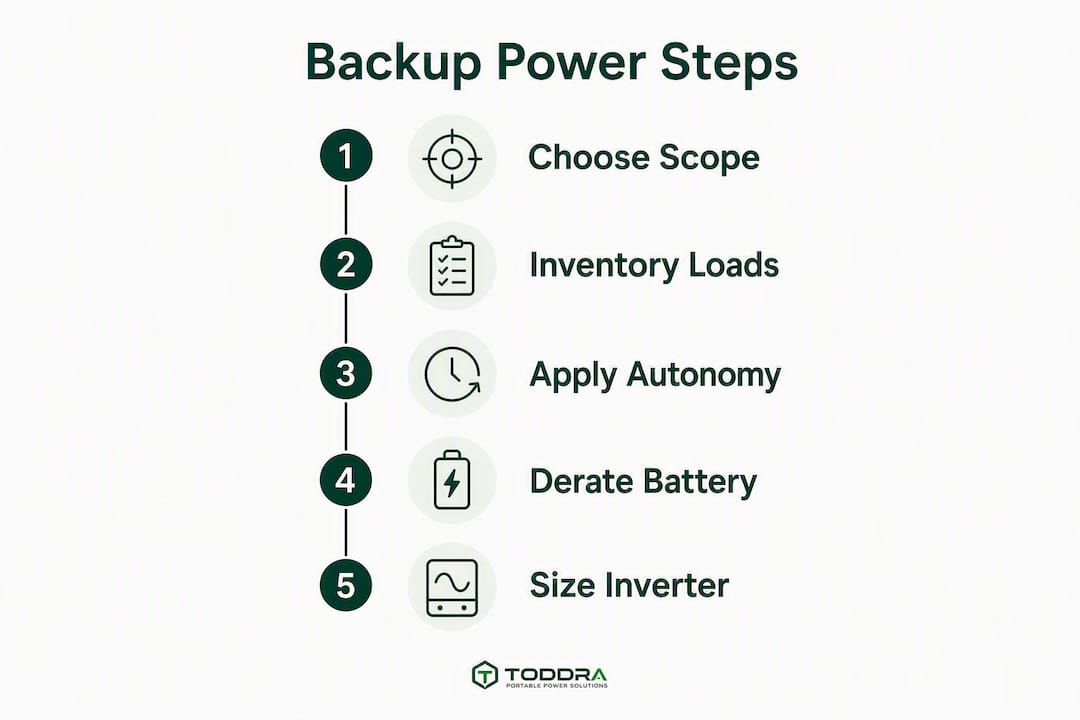
Step 1: Choose your scope
Decide upfront whether you are sizing for critical loads only or for whole-home backup. Critical-load systems protect a short list of circuits (refrigerator, lighting, router, medical devices, sump pump) and cost significantly less. Whole-home backup keeps every circuit live, including central HVAC, electric ranges, and water heaters, which multiplies both the kWh and kW requirements.
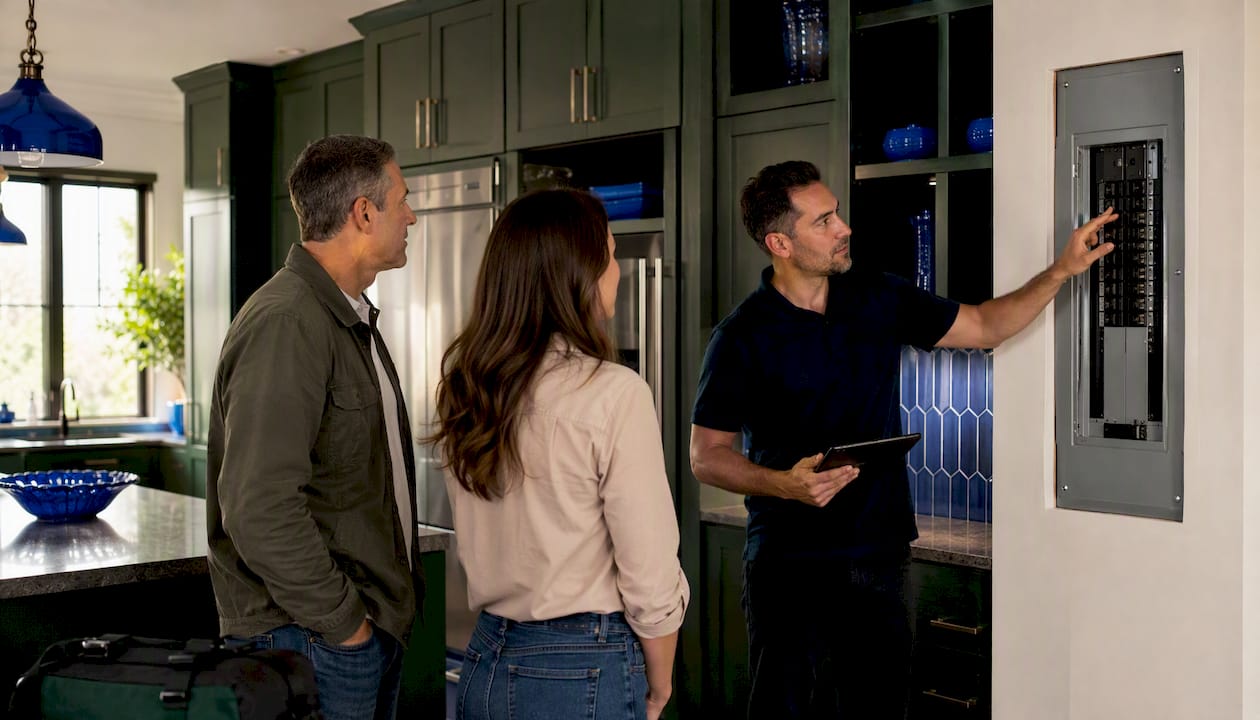
Step 2: Inventory your loads
For each appliance or circuit on your list, record:
- Running watts (from the nameplate or a clamp meter reading)
- Hours per day you expect it to run during an outage
- Daily watt-hours = running watts × hours per day
Sum all daily watt-hours, then divide by 1,000 to get your daily kWh load.
Step 3: Apply your autonomy target
Multiply daily kWh by the number of days (or fraction of a day) you want to cover.
Step 4: Derate to find nameplate battery size
Usable battery capacity is always less than the nameplate figure. LiFePO4 chemistry typically operates at 80% Depth of Discharge (DoD) and 90–95% round-trip efficiency (RTE). Temperature derating can shave another few percent in cold climates. Apply the full chain:
Using typical DoD, RTE, and temperature factors, a raw requirement can be adjusted upward to a larger nameplate capacity before buffering.
Step 5: Size your inverter
Add up the running watts of everything that will operate simultaneously. Divide by 0.8 (residential power factor) to get volt-amps (VA), then add a 25% safety margin. Finally, confirm the inverter's surge rating covers your largest motor start stacked on top of all other running loads.
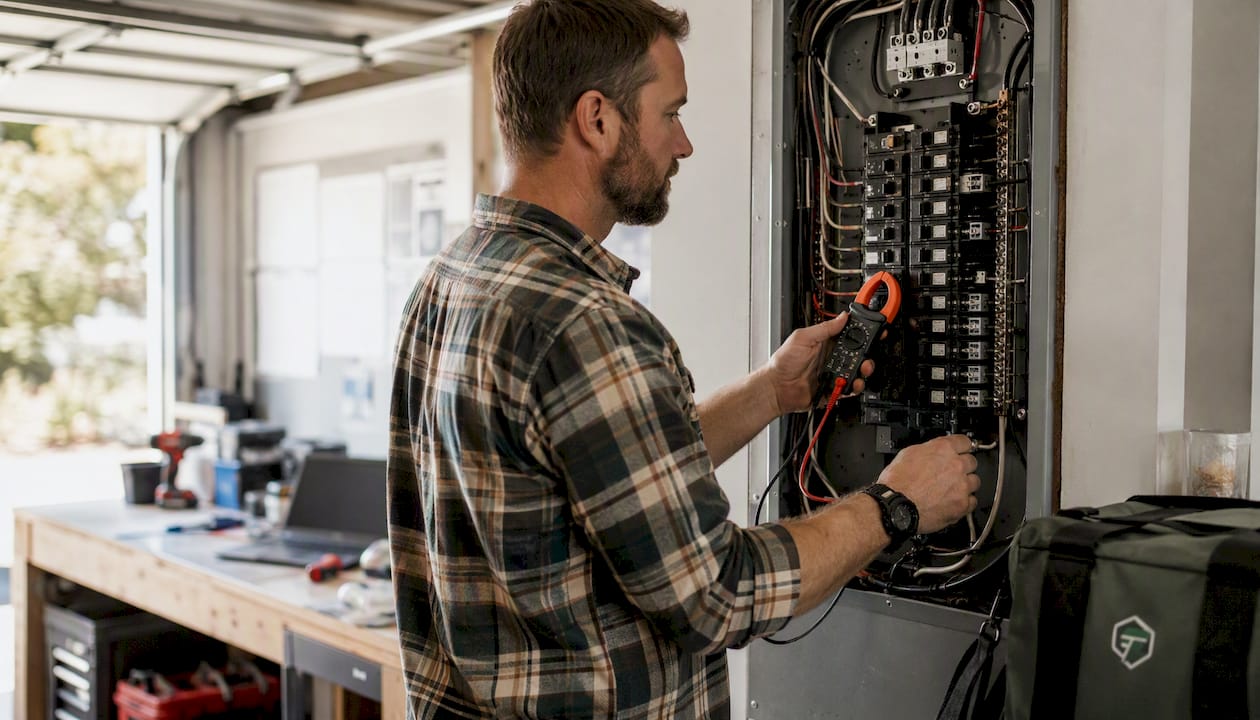
Pro Tip: Use a clamp meter or a whole-home energy monitor like Sense or Emporia Vue to measure real running watts rather than nameplate maximums. Appliances almost never draw their rated peak continuously, and measured data can reduce your battery target by 20–30% compared to nameplate estimates alone.
Two worked examples you can copy into a spreadsheet
Example A: Small home, critical loads overnight (8 hours)
| Load | Running Watts | Hours | Daily Watt-Hours |
|---|---|---|---|
| Refrigerator | — | 8 | 1,200 Wh |
| Router/modem | 15 W | 8 | — |
| LED lights (6 bulbs) | — | 6 | — |
| Phone/laptop charging | — | 4 | — |
| Sump pump (1/3 HP) | — | 1 | — |
| Total | 685 W running | 2.32 kWh |
- Raw required kWh: 2.32 kWh for one overnight period.
- Nameplate target: 2.32 ÷ 0.80 (DoD) ÷ 0.92 (RTE) ÷ 0.97 (temp) × 1.15 = 3.97 kWh nameplate. A single 5 kWh-class unit covers this comfortably.
- Inverter sizing: 685 W running ÷ 0.8 × 1.25 = 1,070 VA continuous. The sump pump (1/3 HP) surges to roughly 1,200–2,000 W at startup. A 2 kW continuous / 4 kW surge inverter handles this setup safely.
Example B: Whole-home 24-hour with central HVAC
| Load | Running Watts | Hours | Daily Watt-Hours |
|---|---|---|---|
| Central AC (3-ton) | — | 8 | — |
| Refrigerator | — | 24 | — |
| Lighting (whole home) | 300 W | 8 | 2 — |
| Water heater (electric) | — | 2 | — |
| Miscellaneous | — | 6 | — |
| Total | 8,950 W peak running | 46 kWh |
- Raw required kWh: 46 kWh for 24 hours.
- Nameplate target: 46 ÷ 0.80 ÷ 0.92 ÷ 0.97 × 1.15 = 78.6 kWh nameplate. That is roughly six 13.5 kWh-class battery modules or a comparable stacked system.
- Inverter sizing: 8,950 W ÷ 0.8 × 1.25 = 13,984 VA. A central AC compressor surges at 6–7× running watts, adding up to 24,— momentarily. You need a stacked or high-surge inverter rated for at least 15 kW continuous and 25+ kW surge.
This example shows why whole-home vs critical-load backup is a major jump in complexity and cost. Dropping the electric water heater and running AC at reduced hours cuts the daily load to roughly 20–25 kWh, which aligns with the 20–30 kWh usable range typically needed for a 2,000–2,500 sq ft home with central AC.
How do you read battery and inverter specs correctly?
The numbers on a battery datasheet are not all equal. Nameplate capacity (kWh) is the total energy stored; usable capacity is what you can actually draw before the battery management system (BMS) cuts off. Factoring in DoD and RTE prevents the most common sizing mistake: buying a system that looks big enough on paper but runs out 20–30% sooner than expected.
The spec checklist before you buy
Capture these six numbers from every datasheet:
- Usable kWh (or calculate: nameplate × DoD)
- Continuous output kW (what the inverter sustains indefinitely)
- Surge kW (peak for motor starts, typically rated for 10–30 seconds)
- Max charge kW (limits how fast solar or grid can refill the battery)
- Round-trip efficiency (target 90%+ for LiFePO4)
- Operating temperature range (capacity drops below 32°F for most chemistries)
Inverters also carry a "tare loss," typically 20–50 W of idle draw just to stay on. Over a 24-hour outage, that adds 0.5–1.2 kWh of consumption you did not budget for. Include it.
Pro Tip: Always size your inverter for the largest motor startup load plus all other simultaneous running loads, then keep a 10–25% buffer on top. A refrigerator starting while the sump pump is already running can trip an undersized inverter even if each load is within spec individually.
How long will common battery sizes run your home?
The runtime formula is straightforward: usable kWh ÷ running load (kW) = hours. A 10 kWh usable battery running a 1 kW load lasts 10 hours. Inverter tare losses and efficiency reduce that slightly, so plan conservatively.
| Usable Battery Size | Essentials (around 0.7 kW) | Critical Loads (around 1.4 kW) | Whole-Home Light (3–4 kW) | Whole-Home Heavy (8–10 kW) |
|---|---|---|---|---|
| 5 kWh | 6–8 hrs | 3–4 hrs | 1 hour | < 1 hr |
| 10 kWh | 12 hours | 6–8 hrs | 2.5 hours | 1 hour |
| 20 kWh | 24 hours | 12 hours | 5–6 hrs | 2 hours |
| 30 kWh | 37–50 hrs | 18–25 hrs | 7–10 hrs | 3–3.5 hrs |
A 24-hour whole-home backup for a typical 2,000–2,500 sq ft home with central AC generally requires about 20–30 kWh of usable storage, consistent with NREL and installer guidance. Essential-load-only designs typically need 10–15 kWh of usable storage, or up to 20 kWh for 1–3 days of extended coverage.
Solar recharge changes this picture significantly. A battery that accepts 5 kW of charging is underutilized behind a 3 kW solar array during a multi-day outage, so matching your array output to your battery's acceptance rate is worth planning before you buy. On a clear day, a 3 kW array can contribute a significant amount of energy back into the battery, which meaningfully extends multi-day coverage for critical-load setups.
What does a backup power system actually cost, and how long does installation take?
Budget expectations vary widely based on scope. Here is a realistic breakdown:
- Portable power stations (plug-and-play): Generally the most accessible entry point for critical-load coverage. No permit required for most setups; operational the same day they arrive.
- Stationary battery systems (wall-mounted, grid-tied): Require a licensed electrician, a transfer switch or subpanel, and typically a permit from your local building department. Expect 2–6 weeks from purchase to commissioning once you account for permit processing and electrician scheduling.
- Whole-home battery + inverter stacks: The most complex and expensive option. Costs vary based on capacity, inverter complexity, and labor. A transfer switch can add a considerable additional cost depending on your panel configuration.
Installation sequence
- Load evaluation: Complete the worksheet above and confirm your kWh and kW targets.
- Permit application: Most stationary battery installs require an electrical permit; some jurisdictions require a separate energy storage permit. Check with your local authority having jurisdiction (AHJ).
- Equipment delivery: Lead times for stationary systems can run 2–8 weeks depending on the manufacturer.
- Electrical installation: A licensed electrician installs the transfer switch, subpanel (for critical-circuit selection), and battery interconnects.
- Commissioning and training: The installer verifies the system under load and walks you through operation and safety shutoffs.
Common permit delays stem from incomplete load calculations submitted with the application. Submitting your completed worksheet alongside the permit application often speeds approval.
Where do generators and UPS systems fit into your backup plan?
Batteries excel at instant, silent startup and require no fuel management. Generators make more sense for multi-day outages, whole-home heavy loads, or situations where recharging a battery bank from solar is not feasible. The two technologies complement each other well: a battery handles the first 8–24 hours and bridges the gap while a generator starts, and the generator then recharges the battery during its run cycles.
Sizing a generator
To determine backup power requirements for a generator, add up the running watts of everything you want to run simultaneously, then add the startup surge of the largest motor. A typical 2,000 sq ft home with basic appliances may require a generator in the moderate kW range. A home with central AC and an electric water heater requires a larger capacity generator. Fuel consumption depends on load and generator size.
UPS devices
A UPS (uninterruptible power supply) is not a backup power system for a home. It is a ride-through device: a 1,500 VA UPS powering a 300 W load lasts roughly 20–30 minutes, enough to save your work and shut down gracefully. For sustained outage power, you need a battery system or generator. When sizing a UPS, divide its VA rating by 1.25 to get a conservative watt capacity (a 1,500 VA unit handles about 1,200 W).
Common PAA questions
What size generator does a 2,000 sq ft home need? Units sized for critical loads are smaller than those designed for whole-home coverage including central AC.
How long does a 1,500 VA UPS last? At a 300 W load, roughly 20–30 minutes. At 600 W, closer to 10 minutes.
How much battery do you need for 48-hour coverage? For essentials at roughly 5 kWh per day, you need about 10 kWh usable, or 14–17 kWh nameplate after derating.
What is the best source of backup power? For quiet, instant, low-maintenance coverage up to 24 hours, a battery system. For multi-day or whole-home heavy loads, a generator or a battery-plus-generator hybrid.
What mistakes do installers see most often, and how do you avoid them?
Copying another home's system size is the single most common error. Every home has a different load profile, and a system that works perfectly for a neighbor with gas appliances will underperform for a home with an electric range and a well pump.
The most common sizing pitfalls
- Treating nameplate as usable capacity. A 10 kWh battery at 80% DoD and 92% RTE delivers roughly 7.4 kWh, not 10. Always calculate from usable figures.
- Ignoring surge loads. A refrigerator starting while a sump pump is already running can draw 3–5× the combined running watts for 1–3 seconds. An inverter that cannot handle that surge will fault.
- Sizing from the utility bill. Your average monthly kWh tells you nothing about your peak simultaneous load or your outage-mode load profile, which is often lower than normal usage but spikier.
- Skipping the buffer. Inverter tare losses, battery aging (capacity typically degrades 2–3% per year), and temperature effects all reduce delivered energy over time. A 15–20% buffer built into the nameplate target protects against this.
- Undersizing the inverter relative to motors. A well pump or HVAC compressor can draw 3–7× running watts at startup. The inverter must handle the surge from the largest motor plus all other simultaneous running loads.
Pro Tip: Log your loads during a typical "worst week" (peak summer or winter, when HVAC runs hardest) rather than an average week. That profile, measured with a clamp meter or a whole-home monitor, gives you the defensible worst-case number that installers use for professional system design.
For deeper hardware context on component selection, the microgrid component guides at Western Harmonics are a useful technical reference for readers who want to go beyond the basics.
How does a Toddra portable power station map to a critical-load setup?
Using the critical-load worksheet from Example A above (2.32 kWh daily, 3.97 kWh nameplate required for one overnight period), the Jackery Battery Pack 5000 Plus Expansion Battery 5040Wh available through Toddra is a strong fit for this scenario.
What this setup will not run reliably: central AC, electric water heaters, electric ranges, or any load requiring more than the system's continuous output rating. For outages beyond 24 hours without solar recharge, stacking additional units or pairing with a generator is the right path.
LiFePO4 chemistry means the battery tolerates deep cycling without the degradation concerns of older lithium-ion designs, and solar compatibility lets you extend coverage during multi-day outages by recharging during daylight hours. The key limitation to plan around is the charge acceptance rate: match your solar panel array output to the battery's maximum charge kW to avoid leaving generation capacity unused.
Key Takeaways
Accurate backup power sizing comes down to measuring real loads, applying the DoD and RTE derating chain, and confirming your inverter handles surge, not just running watts.
| Point | Details |
|---|---|
| Measure real loads | Use a clamp meter or whole-home monitor; nameplate ratings often overstate actual draw. |
| Apply the derating chain | Divide raw kWh by DoD × RTE × temp factor, then multiply by a buffer to get your nameplate battery target. |
| Size inverter for surge | Inverter must handle the largest motor startup plus all simultaneous running loads. |
| Add a buffer | Accounts for inverter tare losses, battery aging, and temperature effects over the system's life. |
| Toddra's Jackery 5040Wh | Suitable for a single overnight critical-load setup with usable capacity at typical DoD; multiple units can support extended coverage. |
What the worksheet reveals that most guides skip
Most homeowners approach backup power by asking "what size battery should I buy?" before they have answered the more important question: what exactly am I trying to keep running, and for how long? The worksheet forces that decision first, and the answer almost always surprises people.
The gap between critical-load backup and whole-home backup is not just a cost difference. It is a fundamentally different project: different permits, different electricians, different timelines, and different failure modes. A homeowner who decides upfront that they need the refrigerator, the router, and the sump pump to survive a 12-hour outage can be protected for a fraction of the cost and complexity of a whole-home system. That clarity is worth more than any rule of thumb.
The other thing the worksheet reveals is how much surge capacity matters relative to energy capacity. Most buyers focus on kWh because it is the number on the marketing sheet. But an inverter that cannot start a well pump or a sump pump during a storm is useless precisely when you need it most. Size the inverter first, then size the battery to match your runtime target.
If you are planning a stationary install, please consult a licensed electrician before purchasing equipment. Transfer switches, subpanel work, and high-surge scenarios carry real safety risks that go beyond what any guide can address.
Toddra portable power stations for critical-load backup
When your worksheet points to a critical-load setup in the 10–15 kWh usable range (or as low as 4 kWh for single-overnight essentials), a portable power station offers something a stationary system cannot: no permit, no electrician, no waiting. You plug it in, connect your critical appliances, and you are covered.
Toddra carries the Jackery Battery Pack 5000 Plus Expansion Battery 5040Wh, a LiFePO4 expansion battery built for exactly the critical-load scenario this guide walks through. It delivers roughly 4.0 kWh usable at 80% DoD, handles the fridge, router, lights, and sump pump through an overnight outage, and pairs with solar panels for multi-day recharge. Stack two units and you have 24-hour critical-load coverage without a single permit or installation appointment.
Browse the full Toddra portable power lineup, check the Jackery 5040Wh spec sheet for continuous output and charge rate details, or reach out to Toddra's US-based customer support team to match the right configuration to your worksheet results.
Useful sources and references
The following sources informed this guide and are worth bookmarking for deeper research:
- University of Colorado Denver: How to Calculate Your Power Needs — A clear, homeowner-facing load worksheet from an academic emergency preparedness program. Best starting point for first-time sizers.
- U.S. Energy Information Administration: Average U.S. household electricity consumption — National and state-level average consumption data; useful for sanity-checking your daily kWh estimate against typical American homes.
- Lawrence Berkeley National Laboratory: Solar + Storage Household Backup Power — Research-grade analysis of how solar-plus-storage systems perform during outages; best for readers planning a solar-integrated system.
- SurgePV: Backup Power Solar Battery Design — Installer-focused guide covering load management, surge sizing, and the critical-load worksheet method. Best for readers who want the professional design perspective.
- BatteryStorageHQ: Whole-Home Battery Backup Sizing — Practical breakdown of the kWh vs kW distinction and how to apply DoD and RTE in sizing calculations.
- IntegrateSun: How to Calculate Your Exact Backup Power Needs — Covers the derating chain and nameplate-vs-usable capacity distinction in accessible detail.
- iSolar: Battery Sizing Tool — Free interactive tool for applying the derating chain to your own load numbers.
- Western Harmonics: Solar and Battery Systems Catalog — Component-level reference for off-grid solar and battery hardware; useful for readers sourcing individual components.
- Toddra: Jackery Battery Pack 5000 Plus Expansion Battery 5040Wh — Product page with full specs for the portable expansion battery used in the worked example above.
This guide provides general sizing information for educational purposes. Electrical installations, transfer switches, and high-surge systems carry safety risks. Consult a licensed electrician and verify local permit requirements before purchasing or installing any stationary backup power equipment.